How do you feel about indexes?
Not every nonfiction book needs one. They are a pain to create. But as a reader, I love a useful index. And because I try to practice servant authorship, I like to add indexes to my books.
Smart publishers hire indexers to do this work for them. But you know me, I do my own indexes. (Before you ask, no, I will not index anyone else’s book. It’s not my favorite task.)
Indexing is the last gasp before shipping a book off for printing. The first time I did it, I didn’t leave enough time and felt stressed and befuddled. I’ve gotten smarter.
If you’re interested in how it happens, here’s a behind-the-scenes look at my process.
The software I’m using for my book layout (Vellum) does not have indexing capabilities, so I do it manually. (I assume this is how professional indexers work too.) By dividing the work into stages, I avoid cramming it in at the last minute.
Part 1: During drafting
I usually gather a list of index terms while drafting and revising, based on what I think people (myself included) might want to find. This includes:
- names of people referenced or quoted
- titles of books referred to
- important terminology
- key concepts
Then I type them out, one to a line, alphabetize them, come up with the nested entry ideas, and put this index-without-page-numbers in the draft for copy editing.
For the revision of The Writer’s Process, I used the index from the first edition as a starting point, stripping out all page numbers and adding new entries.
Part 2: At the last minute
You can’t make an index until you’re completely done with the book production process, because if topics jump between pages, the page numbers in the index can be wrong. (I’ve bumped into this in an earlier book.) So, I wait until the proofreading is done and any widows and orphans and odd spacing are corrected.
Indexing adheres to particular typography conventions, so a quick visit to the latest edition of the Chicago Manual of Style helps.
For example, did you know that page ranges are supposed to use an en-dash in print books? So, if something happens on pages 25 to 27, you’d need 25–27 instead of 25-27. See the difference?
With my style guides and a quick refresher on the keyboard shortcut for the en-dash, it’s time to add the page numbers.
Here’s my process for creating an index.
- Print out the index with no page numbers.
- Put on soothing music or birdsong in the background. I like to work in 30-minute bursts, so I can get up and take a break.
- Do a global search for the first entry in the index.
- Each time it shows up, decide if this would be useful for a reader seeking information. If so, write the print edition page number on the index page. If not, leave it and move to the next occurrence. (So many little decisions!)
- At the end of the manuscript, the search lands on the blank index entry. Type in the collected page numbers, turning consecutive pages into ranges.
- Repeat for every entry in the index.
- Look really carefully at the whole thing because it’s not going back out for proofreading.
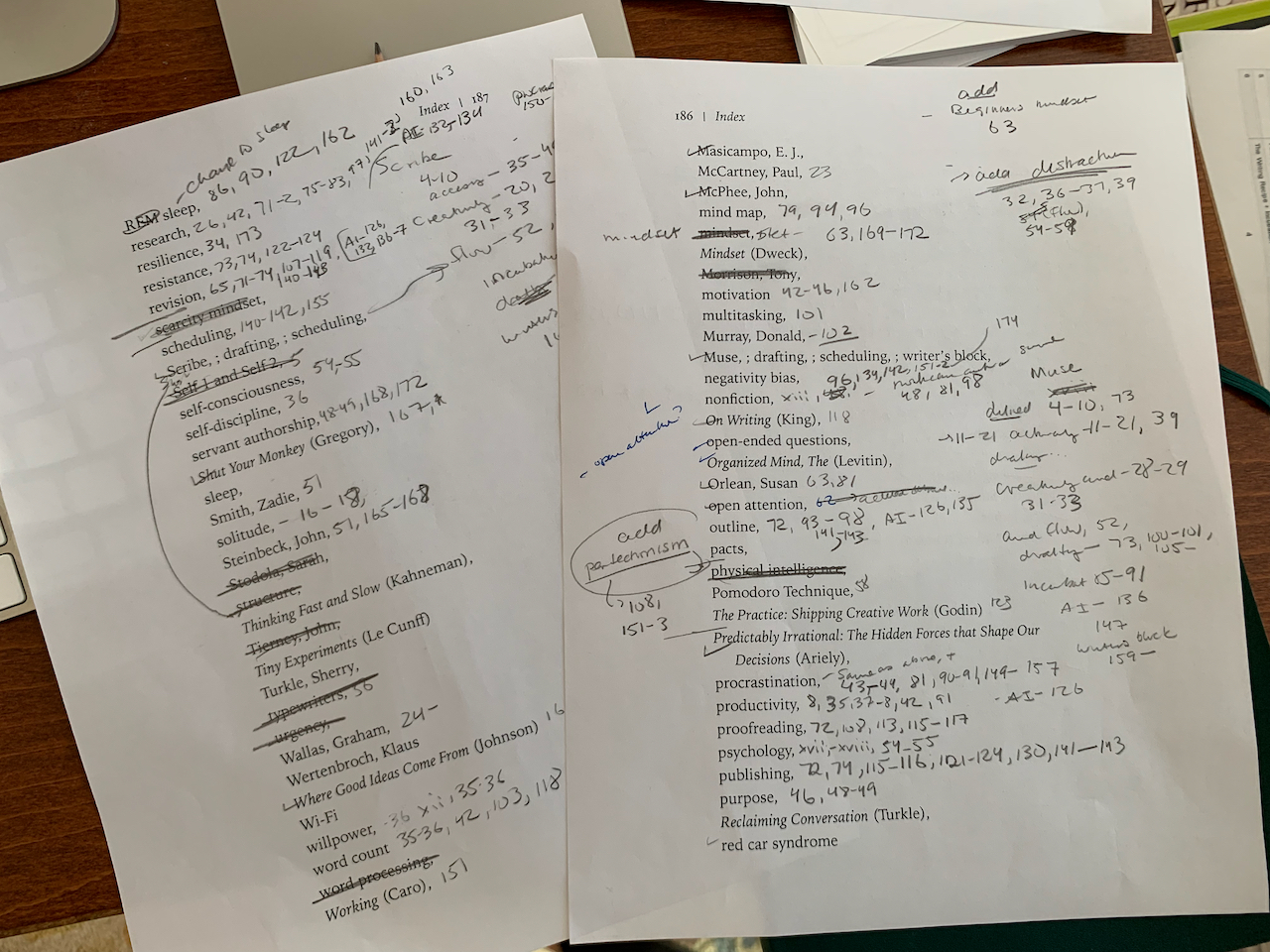
Here’s what a couple of my pages looked like. Kind of a mess.
Does this sound tedious and incredibly detailed? It is. That’s why I work in short bursts rather than trying to power through it all at once. My focus cannot manage an entire index in one sitting.
But that moment it’s done—oh, the joy! I can send the manuscript off to print a proof copy. I can submit it to NetGalley. I can set my readers on it.
It feels pretty good. And, the book has an index. Yay!
